A direct organization is a business that buys fax service straight from FaxDev rather than through a reseller. You
have one organization with exactly one account: the organization console (/org) holds billing, branding,
compliance, developer settings and the audit log, and the account console (/a/<accountId>, My account in the
sidebar) is where you send and receive faxes. This guide covers what is specific to a direct organization: your
prices, your plan and minimum commitment, the HIPAA add-on, and where everything lives.
Who this is for: owners of a direct (retail) organization. For everyday faxing, contacts, numbers and users see the account guide.
Contents
- Sign in and find your way around
- Your account
- Pricing
- Billing, payment and the minimum commitment
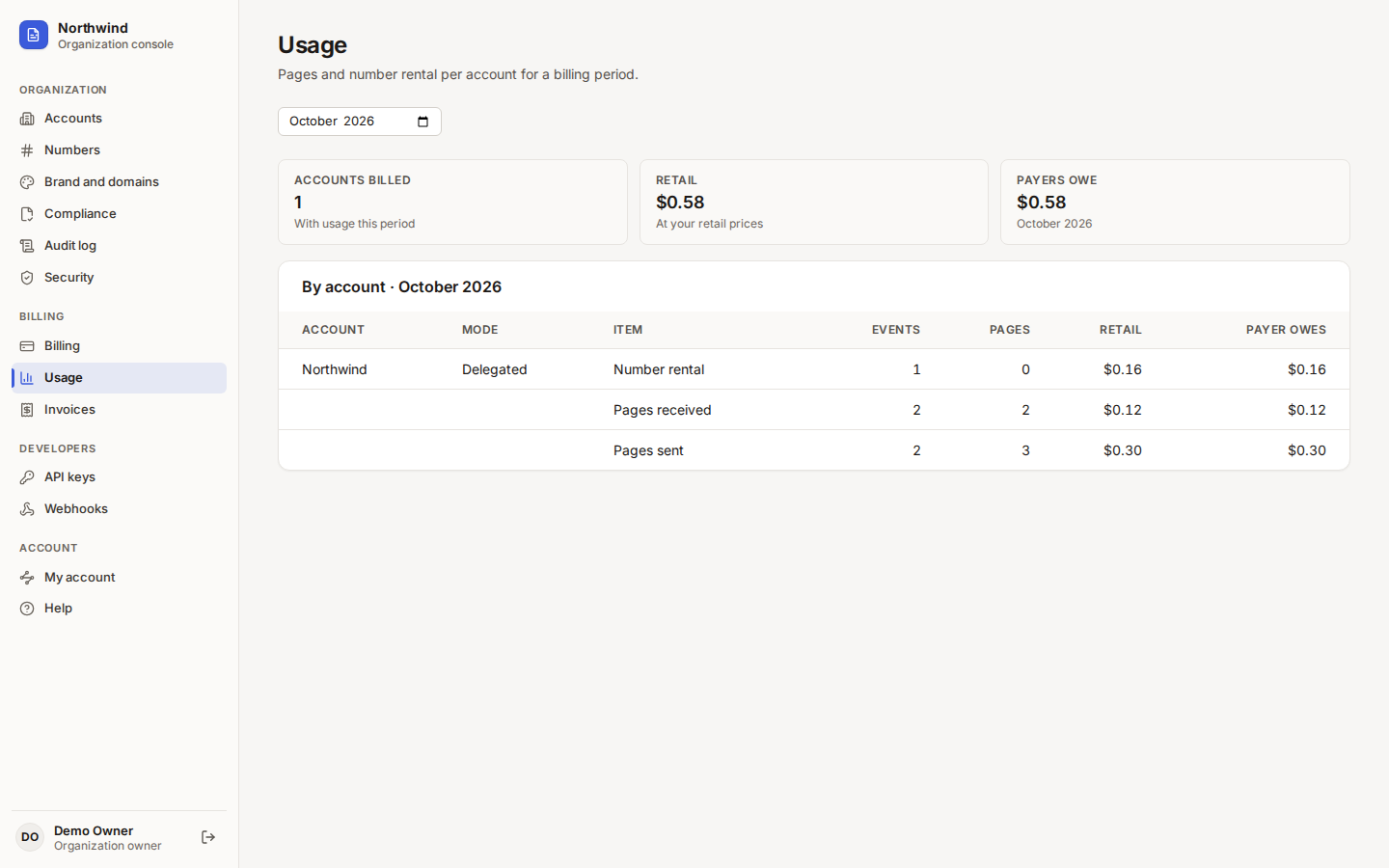
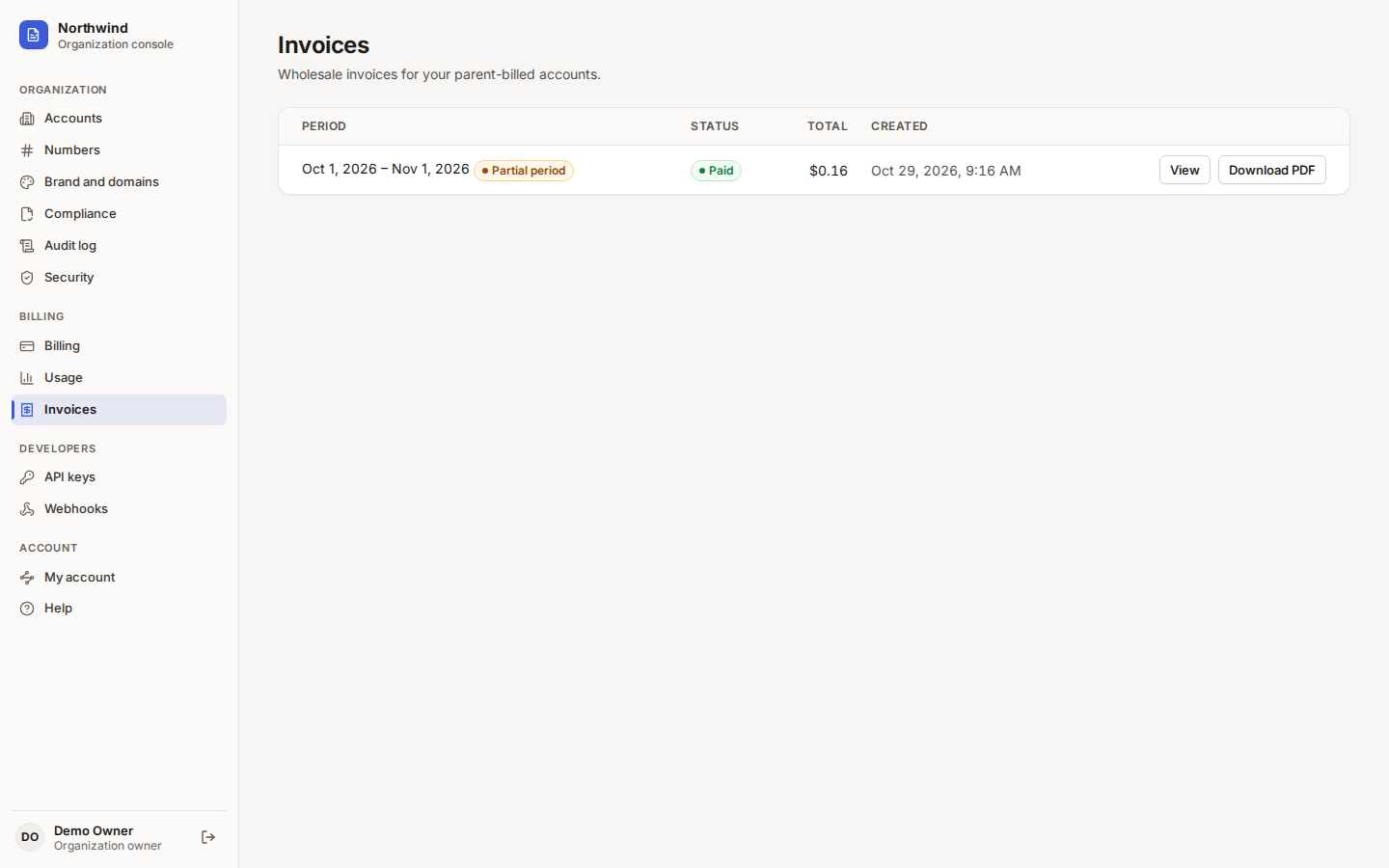
- Usage and invoices
- Numbers
- HIPAA add-on
- Brand, developers, audit and security
- Everyday faxing
- Reference
Sign in and find your way around
Sign in at https://app.faxdev.com/login with your email and password (and your two-step code if it is on). As the
owner you land on the organization console.
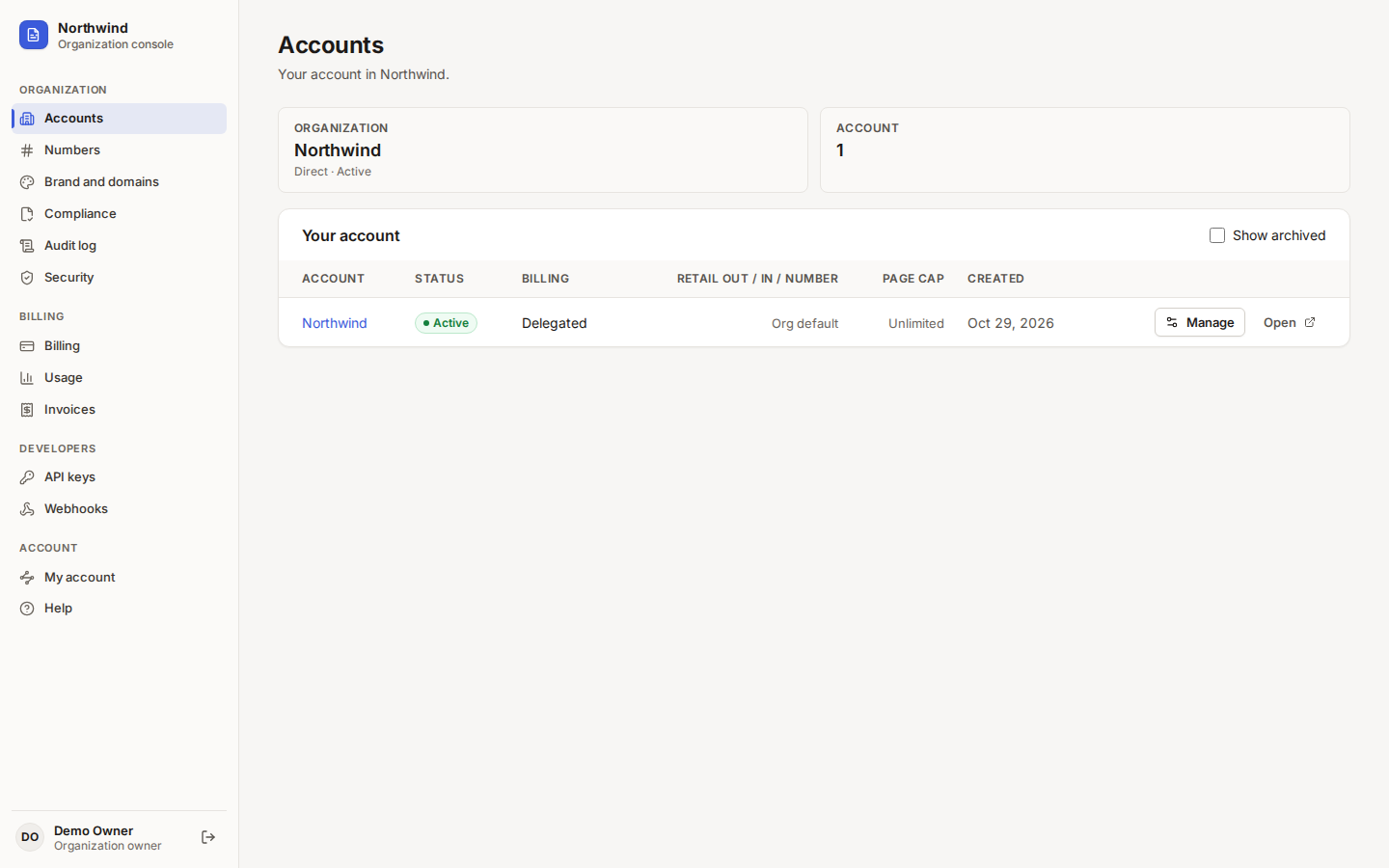 Tap to enlarge (opens in a new tab)
A direct organization: one account, billed directly.
Tap to enlarge (opens in a new tab)
A direct organization: one account, billed directly.
| Sidebar group | Pages |
|---|---|
| Organization | Accounts, Numbers, Brand and domains, Compliance, Audit log, Security |
| Billing | Billing, Usage, Invoices |
| Developers | API keys, Webhooks |
| Account | My account (your fax inbox and sending), Help |
From inside the account, Org console in the sidebar brings you back.
Your account
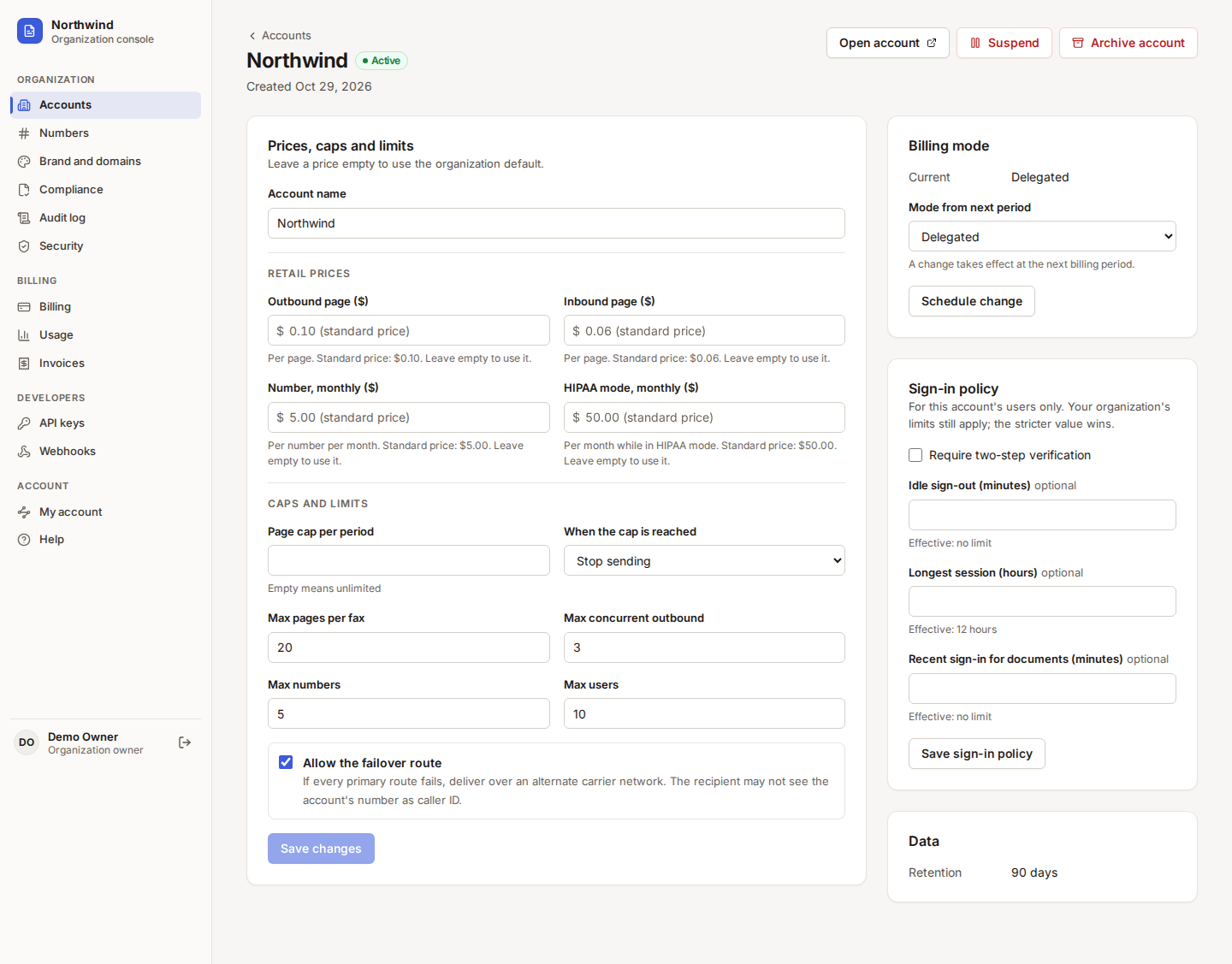
Your organization has one account, shown on Accounts with the billing mode Delegated: the platform bills the account directly. Choose Open (or My account) to fax, or Manage for its caps and limits.
 Tap to enlarge (opens in a new tab)
Caps and limits for your account. Prices left empty follow the published direct prices.
Tap to enlarge (opens in a new tab)
Caps and limits for your account. Prices left empty follow the published direct prices.
On the account page you can set a Page cap per period and what happens When the cap is reached (stop sending, or keep sending and notify), Max pages per fax, Max concurrent outbound, Max numbers, Max users, and whether to Allow the failover route (if every primary route fails, deliver over an alternate carrier network; the recipient may not see your number as caller ID).
Pricing
Direct organizations pay the published direct prices:
| Item | Price |
|---|---|
| Outbound page | $0.10 |
| Inbound page | $0.06 |
| Number, monthly | $5.00 per number |
| HIPAA add-on, monthly | $50.00 per account in HIPAA mode, billed by the day |
Every page counts, including a cover page. Number rental and the HIPAA add-on are charged per day for the days they are active. Prices are as published on 2026-10-28; your agreement may differ.
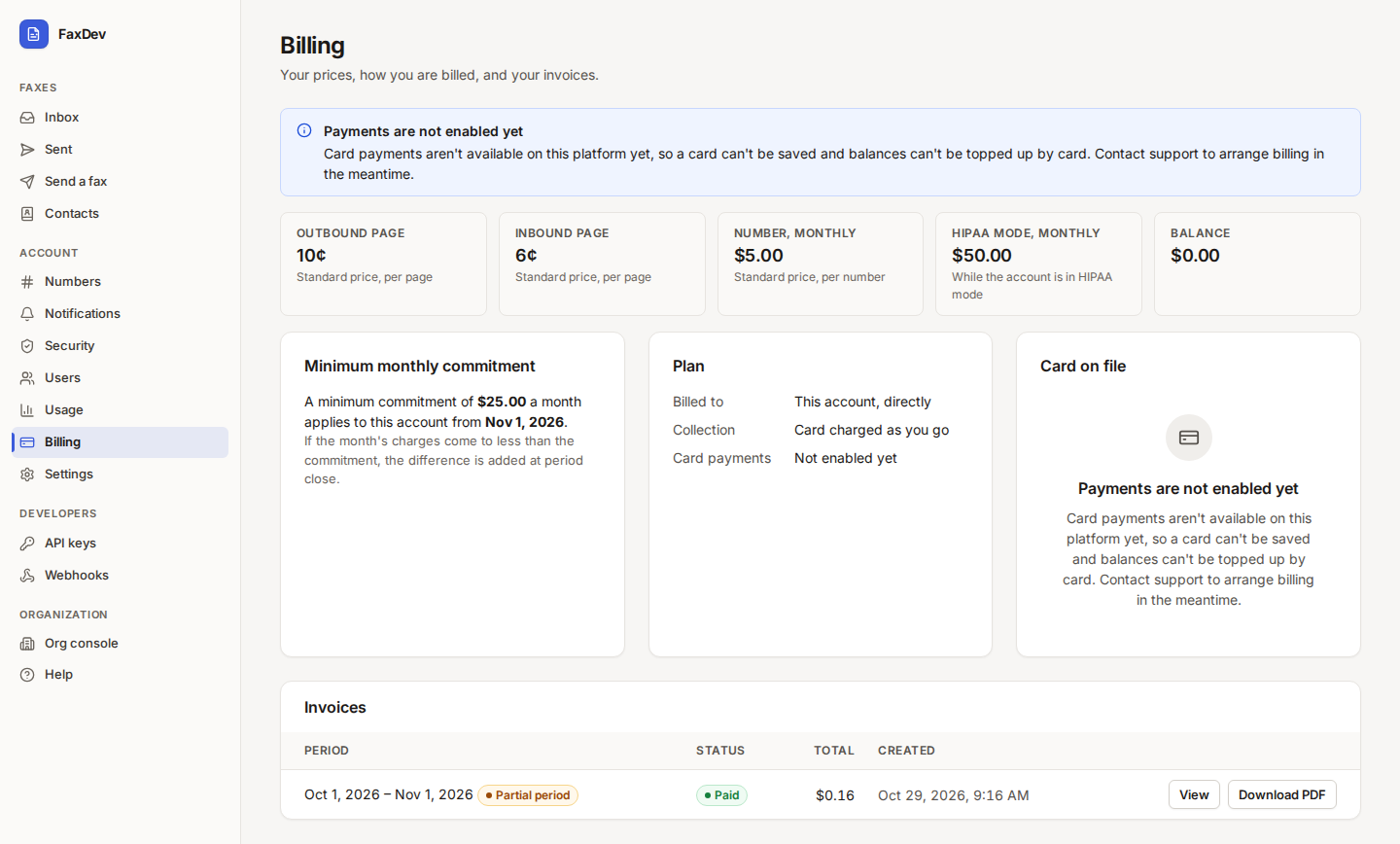
On the account's Billing page the same prices are shown as tiles: 10¢ outbound, 6¢ inbound, $5 for the number, and $50 for HIPAA mode. Each tile is labelled Standard price.
Billing, payment and the minimum commitment
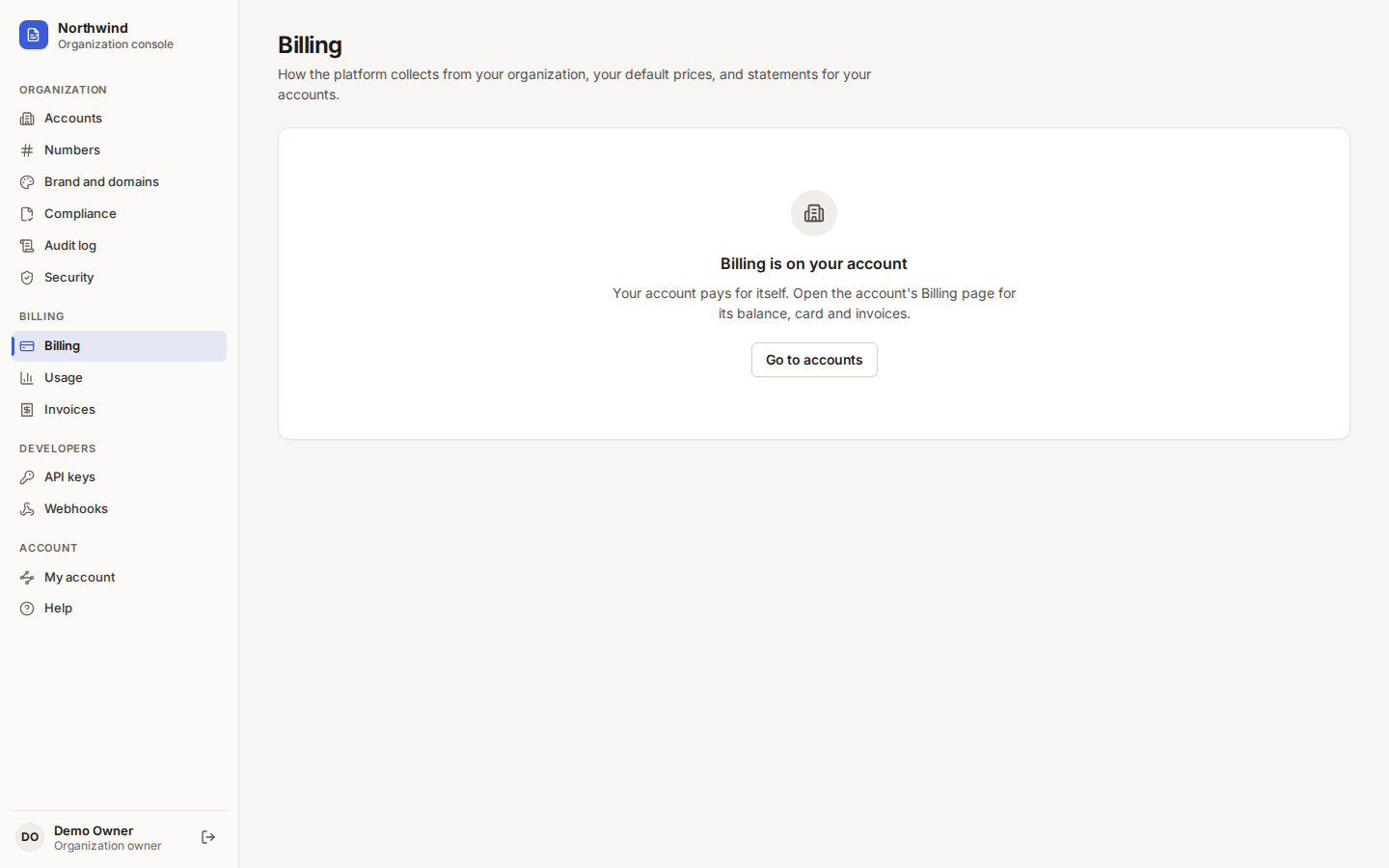
Billing in the organization console. When the account pays for itself, this page points you to the account's Billing page for the balance, card and invoices. If a Minimum monthly commitment was agreed, that card is shown here as well.
 Tap to enlarge (opens in a new tab)
This account pays for itself, so the balance, card and invoices are on the account.
Tap to enlarge (opens in a new tab)
This account pays for itself, so the balance, card and invoices are on the account.
Minimum monthly commitment. If a month's charges come to less than the commitment, the difference is added at period close as "Minimum monthly commitment shortfall". The first month is prorated by day. Only the platform changes the commitment.
Card and invoices. Inside the account, Billing shows your plan (billed to this account, directly), the collection method, your balance, the Card on file and your Invoices.
 Tap to enlarge (opens in a new tab)
Account billing: price tiles (10¢ outbound, 6¢ inbound, $5 for the number, $50 for HIPAA mode, each labelled
Standard price), plan, card on file and invoices.
Tap to enlarge (opens in a new tab)
Account billing: price tiles (10¢ outbound, 6¢ inbound, $5 for the number, $50 for HIPAA mode, each labelled
Standard price), plan, card on file and invoices.
| Collection | What happens |
|---|---|
| Prepaid balance | Charges come out of your balance; add funds from the account's Billing page. Faxes are refused when it is empty |
| Card charged as you go | Your card is charged automatically as charges build up |
| Invoiced after the period | You receive an invoice after each billing period, within an agreed credit limit |
Usage and invoices
Usage lists pages sent, pages received and number rental for a billing period. Invoices lists each billing
period, including a partial period that already has an invoice. A PDF statement of an ended month is available
through the API: GET /v1/accounts/{accountId}/statements/{YYYY-MM}.
 Tap to enlarge (opens in a new tab)
Usage for the selected month.
Tap to enlarge (opens in a new tab)
Usage for the selected month.
 Tap to enlarge (opens in a new tab)
A partial period can show an invoice before the period closes.
Tap to enlarge (opens in a new tab)
A partial period can show an invoice before the period closes.
Numbers
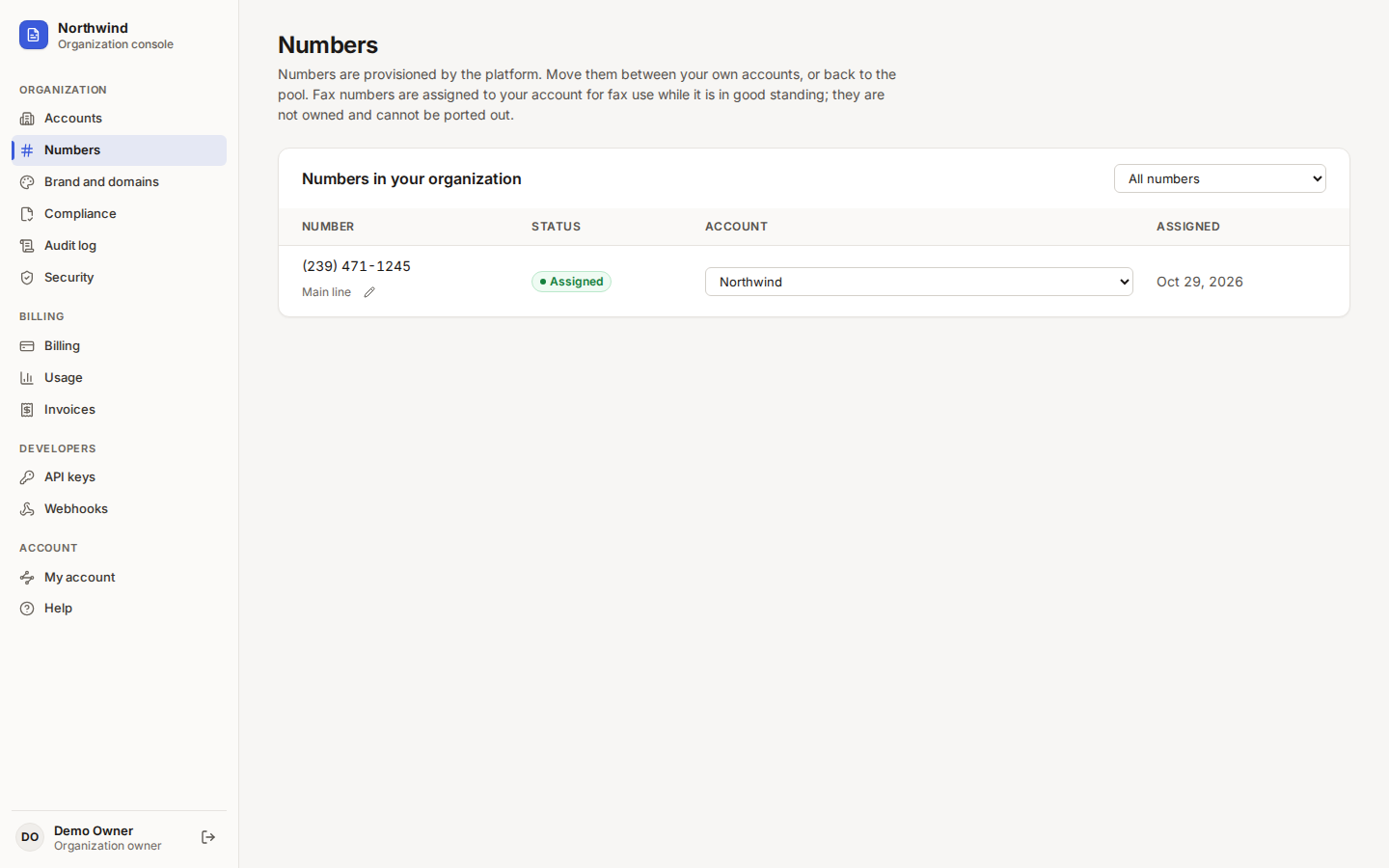
Numbers are provisioned by the platform. Numbers lists them with the account they are on. Inside the account you label each number and choose who receives its faxes by email (see the account guide).
 Tap to enlarge (opens in a new tab)
Your numbers.
Tap to enlarge (opens in a new tab)
Your numbers.
HIPAA add-on
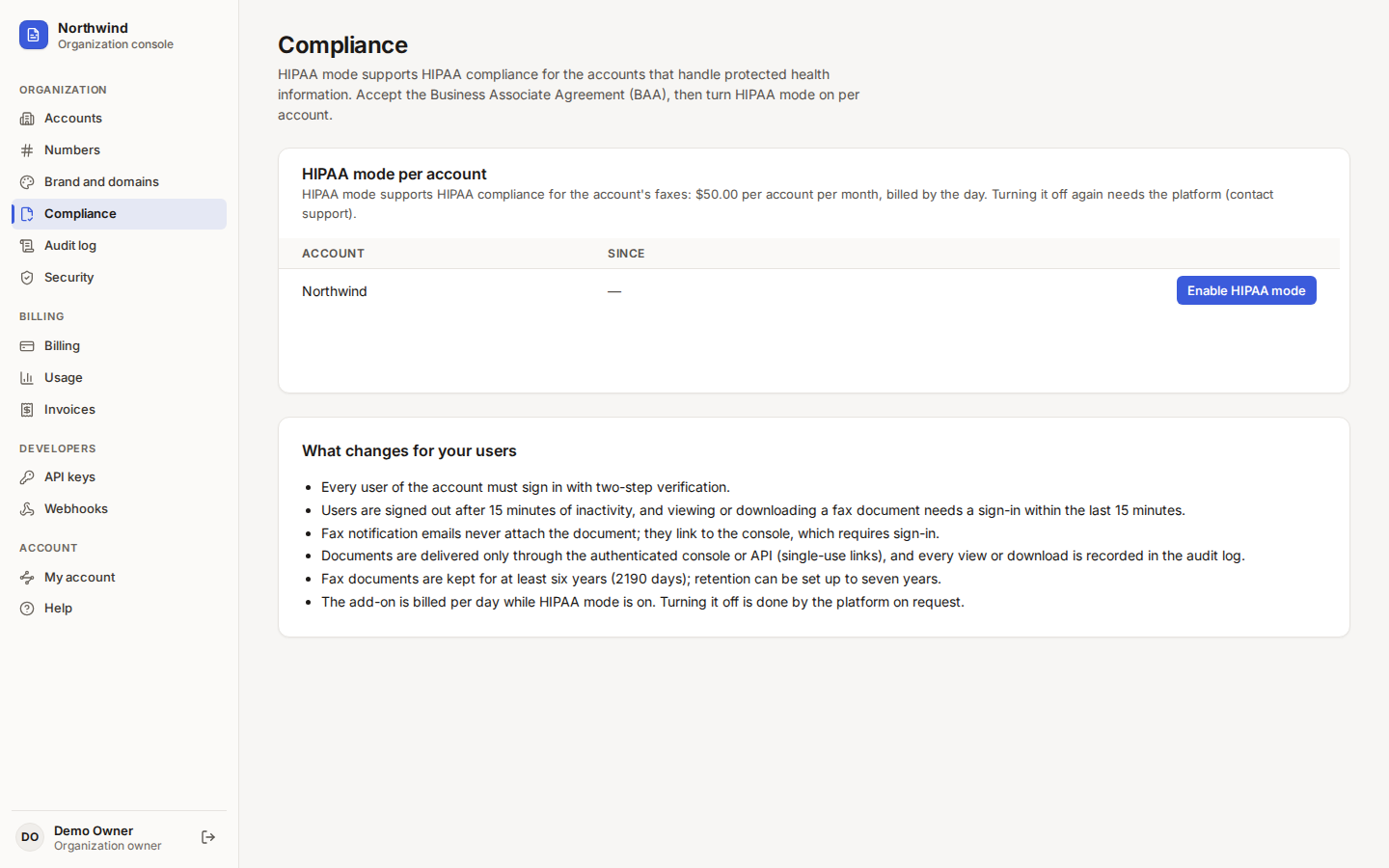
If your faxes carry protected health information, turn on HIPAA mode for your account. It gives the account HIPAA-ready controls: required two-step verification, 15-minute idle sign-out, link-only notification email, logged document access, and at least six years of retention.
- Open Compliance, read the Business Associate Agreement, tick the agreement box, type your full name and choose Accept the BAA.
- Under HIPAA mode per account, choose Enable HIPAA mode on your account and confirm.
 Tap to enlarge (opens in a new tab)
HIPAA mode for your account: $50.00 per month, billed by the day.
Tap to enlarge (opens in a new tab)
HIPAA mode for your account: $50.00 per month, billed by the day.
Turning HIPAA mode off again is done by the platform on request. The full list of what changes is in the reseller guide; it applies to your account the same way.
Warning HIPAA mode provides controls that support your HIPAA compliance; your own policies and training remain your responsibility.
Brand, developers, audit and security
These pages work exactly as described in the reseller guide:
| Page | What it does | Details |
|---|---|---|
| Brand and domains | Name, colors, logo, notification email, your own web address | Brand and white label |
| API keys | Keys for your software and the MCP server | Developers |
| Webhooks | Signed event delivery to your endpoint | Developers |
| Audit log | Sign-ins, changes and document access | Audit log |
| Security | Two-step verification for your login | Security |
A custom web address for the app is billed per hostname per month to direct organizations.
Everyday faxing
 Tap to enlarge (opens in a new tab)
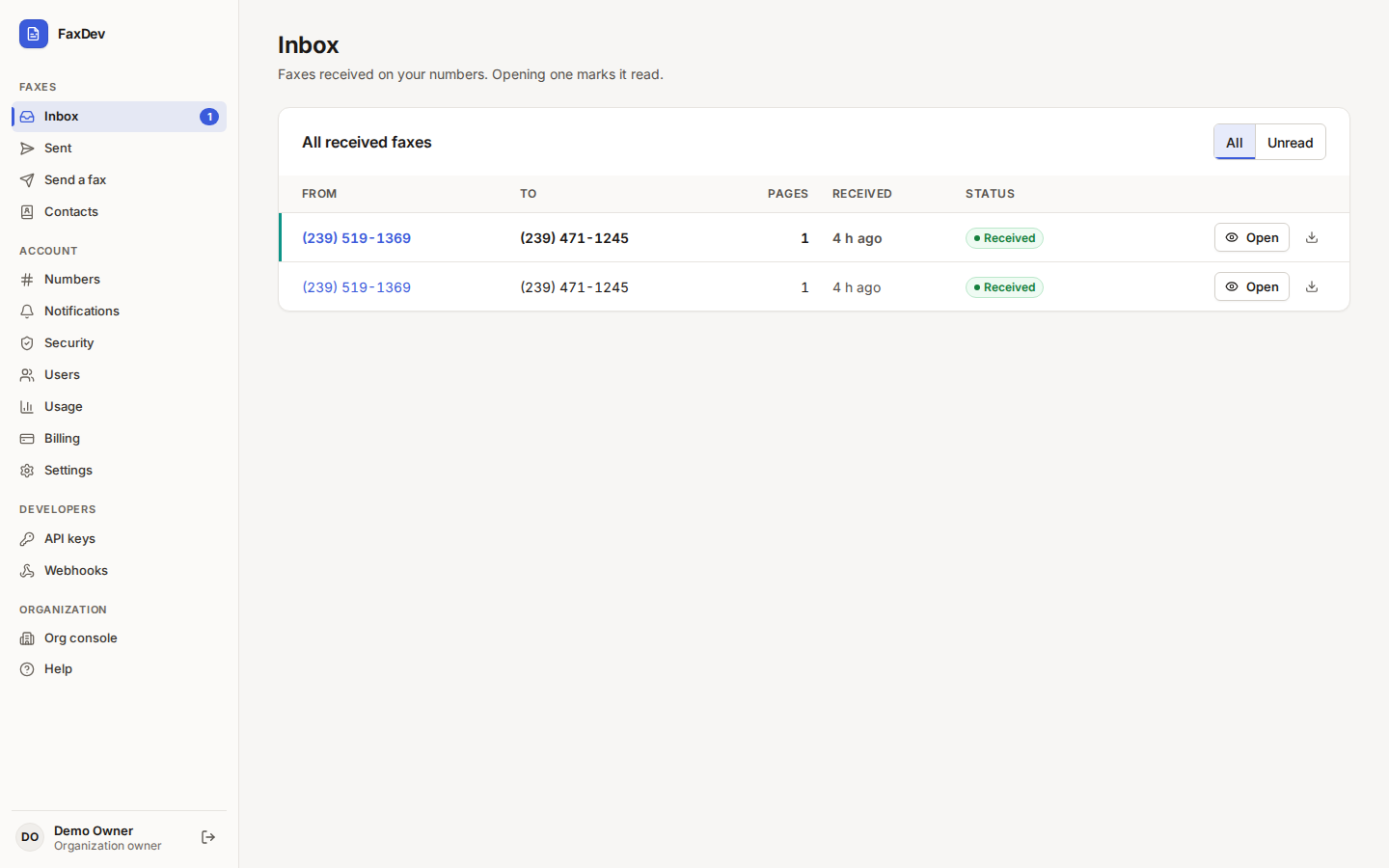
My account opens your inbox. Sending, contacts, numbers, users and settings are in the account guide.
Tap to enlarge (opens in a new tab)
My account opens your inbox. Sending, contacts, numbers, users and settings are in the account guide.
Reference
| Term | Meaning |
|---|---|
| Organization | Your company on the platform; owns billing, brand and compliance |
| Account | Where faxes are sent and received; a direct organization has exactly one |
| Delegated | Billing mode of a direct account: billed directly by the platform |
| Minimum monthly commitment | A monthly floor on charges; any shortfall is added at period close |
| HIPAA mode | Per-account HIPAA-ready controls; requires the accepted BAA |
| Organization owner | Full control of the organization and its account |